After building my own computer my previous laptop was unused. I also wanted to get a minecraft server up and running so I could play minecraft with friends. I tried using the turnkey on it but It failed for reasons unknown and closest explanation was the lack of USB 3.0 ports.
This meant I had to install it on top of debian. The install of debian was a challenge as it did not have the drivers for the wireless stuff. This meant I had to install wireless by hand as I couldn’t use an installer and it had no wired ports. The search for drivers was a challenge as there is little documentation on doing stuff like this. I managed to get the drivers on the laptop and now i had to do a manual installation. The manual installation was surprisingly easy it was just putting the drivers in a folder and restarting.
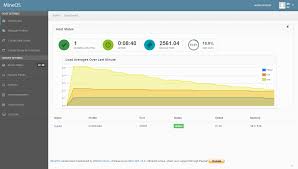
Now that that was done I had to install MineOS. The wiki did help immensely and made the work as easy as running a few commands in terminal. But something was wrong with linux.
It was either 32 bit or the BIOS didn’t allow memory remapping which caused it to only address 2.6 of 8GB of Ram. Due to some testing I did i found it was the latter. Solving this had failed as another complication came up, the Dell BIOS does not support memory remapping. This could only be solved by getting another computer. Thus the minecraft server was very low quality but it did work.
 Gaming on a School PC