Spare Parts Into a New PC and Is It Worth it

When I was constructing the other pc I scrapped an old unworking one I had for the case. Its power supply was broken so I used its case.

 Now I have a spare motherboard and processor laying around. Two of the expensive parts of a pc.it would be relatively cheap to buy the parts I need to complete it.

 The parts I need to complete it are just RAM and a power supply two of the cheapest parts and I estimated they would cost 50 – 100 USD. The simple reason I have not done it yet is because I don’t know if it would be worth the money.

 An extra computer is good but is it good enough. But now I am thinking why not sell it. It would both increase the amount of people who own computers but also how much money I have. 

Specifically, I am considering selling it to a friend who doesn’t own a computer. And selling it at a premium price too. The only real problem are his parents who limit how many electronics he can have. But people can be negotiated with and if he does convince them I will sell it to him at 80% to 120% the cost it took to make depending on how I feel.

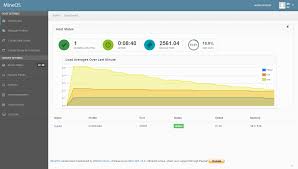
MineOS on a new computer

After doing the laptop server I decided I needed something better so I designed a better pc with a focus on servers. A focus on the server would mean more ram and I could cheap out on the CPU a bit more. The total cost added up to 400 USD mainly from the RAM. the specs were 32GB of ram, 1TB hard drive, Celeron G4900 3.1GH, and a B365M motherboard. 

1 month later I had accumulated all the pieces and had enough spare peripherals to build it. After building it I installed Debian and tried getting MineOS on it. Those attempts failed due to compatibility issues with the newer Debian.

 At the time I didn’t know that but I decided not having windows on it would be a waste, so I installed it on a dual boot with Debian. At the time I had a slight suspicion of the Debian being too recent but I downloaded the same one again. 

Due to a mistake with the OS installs Windows wouldn’t show up in GRUB so I have to reinstall both OS. I have not had the time to make any progress on it and it is currently a testing system to get games on the school computers.

Installing Mineos on my laptop

Mineos is a webui designed to control a minecraft server. It is built on a premade debian based turnkey and can be put on a normal linux system.

After building my own computer my previous laptop was unused. I also wanted to get a minecraft server up and running so I could play minecraft with friends. I tried using the turnkey on it but It failed for reasons unknown and closest explanation was the lack of USB 3.0 ports. 

This meant I had to install it on top of debian. The install of debian was a challenge as it did not have the drivers for the wireless stuff. This meant I had to install wireless by hand as I couldn’t use an installer and it had no wired ports. The search for drivers was a challenge as there is little documentation on doing stuff like this. I managed to get the drivers on the laptop and now i had to do a manual installation. The manual installation was surprisingly easy it was just putting the drivers in a folder and restarting.

 Now that that was done I had to install MineOS. The wiki did help immensely and made the work as easy as running a few commands in terminal. But something was wrong with linux.

 It was either 32 bit or the BIOS didn’t allow memory remapping which caused it to only address 2.6 of 8GB of Ram. Due to some testing I did i found it was the latter. Solving this had failed as another complication came up, the Dell BIOS does not support memory remapping. This could only be solved by getting another computer. Thus the minecraft server was very low quality but it did work.

Sorting system construction in minecraft

I am constructing a large scale storage system in minecraft. It is designed to sort all 631 items in minecraft.

 Me and the boys were playing minecraft we decided we were too disorganized so we needed a chest room. But i suggested building a every item sorting system. They agreed so i did the math and we all started digging a 11×9 hall in our base to install the sorting system into. The digging took about 6~ hours.

 Once we were done with that i began gathering materials for the design. We needed 3400~ sand and gravel. We had the sand on hand but not enough gravel. I sent someone to get the gravel while i got the 800~ grey dye we need. We had the bones for the white dye but no ink sacs for the black dye. So i went on a journey for gunpowder and ink sacks. I returned with 4 stacks of ink sacks and made the grey concrete.

 Then began the tree chopping. I had to do it by hand as baritone was not compatible with 1.15 yet. Once i got the shulker of wood i was ready to make the system. But as it turned out someone took the wood and died with it in lava so i had to do that again.

 Now i was ready to make the decorations. Ceiling and walls of grey concrete spruce stairs above the chests and dark oak slabs for floors. Now that i was done with the easy part i needed to make the sorting system.

 One shulker of wood was a lot, i needed 10. But the wood was easy though compared to the massive amount of iron i needed. I needed 40k iron for the sorting system. It would take 3 hours to smelt all of it using blast furnace super smelter. 5 days of afk at the afk iron farm would be easier but afk is disabled. But atleast fabritone was out and i could use that. Now i just needed to wait. 

The construction of the final system is yet to be done but that should be time consuming as i have to make 631 sorting modules a item refresh system and mine the area used to make that, along with get one of every item in the game so i can actually sort.

Terraria on School Computers

Me and some friends have gotten bored of Minecraft. So I have begun work on getting Terraria on the school pcs so we can play during lunch. That means I need to remove the steam DRM and set it up so it does not use permissions. 

My work begins at removing its need for permissions. It needs permission to install programs such as XNA and .NET Framework. There are two methods I came up with, research usbs and/or turbo to create a virtual environment where XNA and .NET can install. The other method is to store everything in with Terraria pre-installed. I chose the latter as it looks better for my friends who know less about computers.

So I started research for already complete ways. I researched methods for playing Terraria without XNA and I came across a post on the Terraria forum. It talked about a way to have XNA installed in the Terraria folder with no need to run any installer. Sadly the link to the download was removed by admins for legal reasons. But a look in the Wayback machine revealed that the link was archived and I could still download it. From there installation was easy. Thus the XNA problem was solved. 

Now I needed .NET Framework. From sources, I learnt that this needed to be installed. It had been solved by a Reddit user who claimed that someone could use “spoon.net”(now turbo.net) to create an executable to run it in. I could not find much documentation on this use of spoon so I searched for other methods and found that windows came with it pre-installed on all versions. So chances are this is not a problem.

Once I was done with that I encountered the DRM problem. It was claimed to have been broken before but that no longer works as it was an older version. So I searched for other solutions and I found “Steamless” for that I needed Microsoft visual studio. By that time it was 11 pm and I had no time to do it after that was installed.

I will continue to work and should be done tomorrow.

Design a site like this with WordPress.com
Get started